The purchasing company can optionally enable a so-called "Easy Access" for RFQs. If an "Easy Access" is used, you as a user of a supplier company can use a "Magic Link" to log in.
A "Magic Link" is a secure login link that allows you to log in to your FUTURA Smart account as a supplier without a password. You can use this as an alternative login method to your existing login credentials.
-
If your company has been created as a new supplier and the purchaser has also enabled the use of “Easy Access” in the RFQ, you will already receive a "Magic Link" with the invitation e-mail to the RFQ for the direct login to FUTURA Smart.
-
If you already have a registered user account, you will receive with the invitation e-mail to the RFQ the link to the standardized login with your e-mail address and password. However, as an already registered user, you also have the option of requesting a "Magic Link" via the login window and thus using this login method as an alternative. Every user created under your company account can also use this alternative login method at any time. The prerequisite for sending a "Magic Link" is that the e-mail address is known and a user exists in FUTURA Smart for the entered e-mail address.
Login with a "Magic Link" as a new supplier via the invitation email
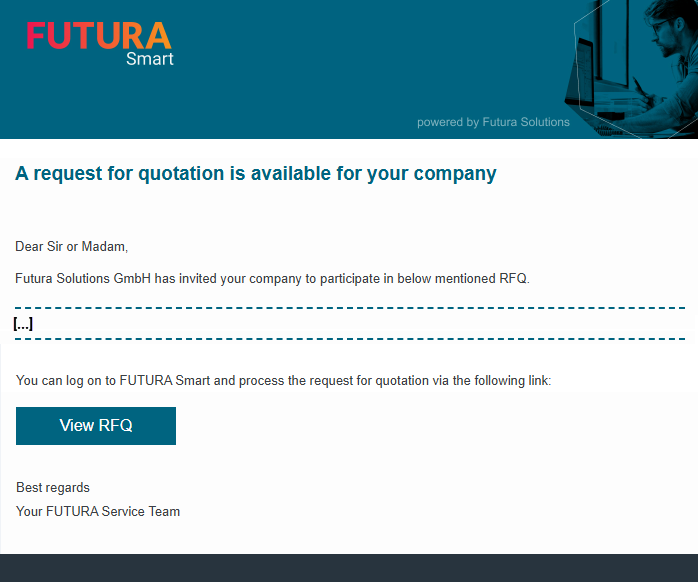
Your company was created by the purchaser as a new supplier and he has also enabled the use of Easy Access in the RFQ. You have thus received the invitation to the RFQ in which you have included the "Magic Link". In the e-mail, click on the button "View RFQ".
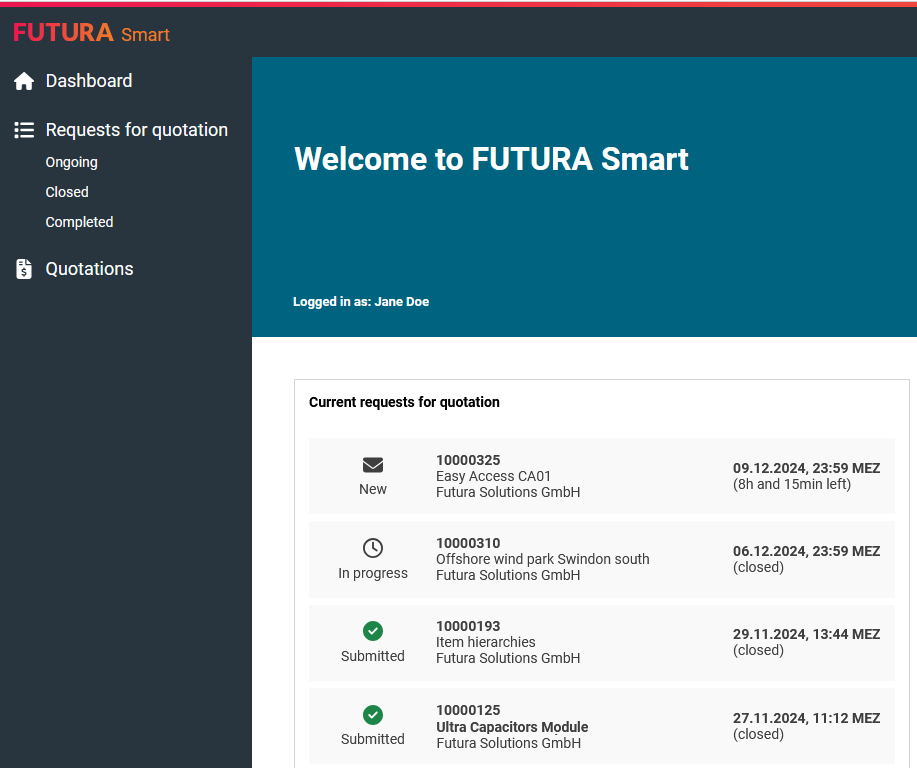
You will immediately be taken to the FUTURA Smart dashboard (home page), where you will receive an overview of your RFQs.